Photograph the page.Answer the cards.
A textbook page, a printout or a PDF becomes flashcards you can answer. Give it the date of the exam and it keeps one number for how ready you are.
Not on the App Store yet. Leave your address and you get one mail on the day it is — nothing else, ever.
Free every day: 5 generations and one quiz round, unlimited review, four starter decks, no ads. No account to make and nothing to cancel. Every deck exports to Anki.
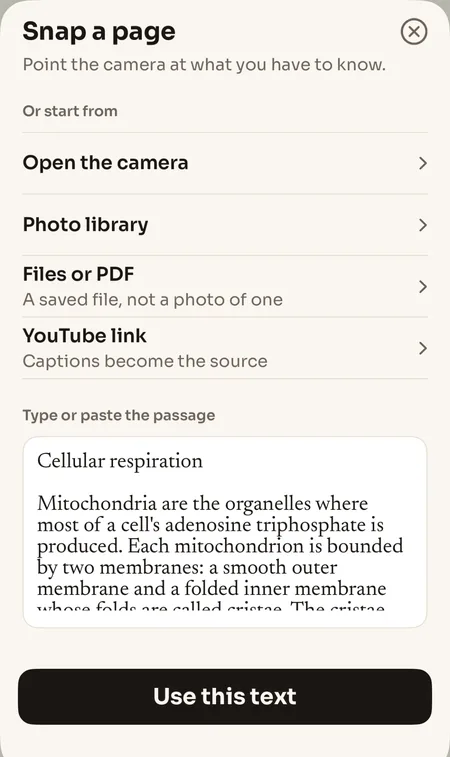
Paste a passage, get a question worth answering.
Point the camera at the page, or open a PDF, or paste the paragraph you just copied from something else you were reading. The app shows you the text it took — editable, before a single card is written — because a misread word becomes a wrong card, and a wrong card costs more than the minute it saved.
What comes back is a question, not a definition turned around. Each one keeps the sentence it was made from, and a tap shows it.
Highlighting something in another app and sharing it to Klarrity lands in the same place.
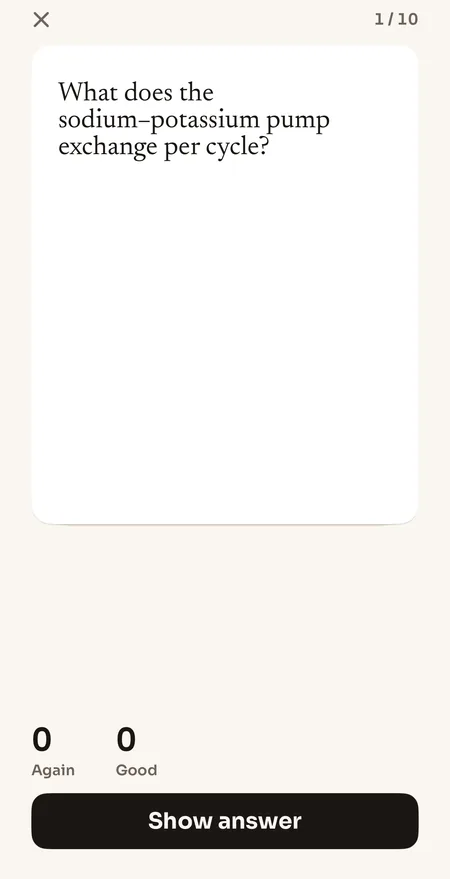
One card opens the app that was going to eat the evening.
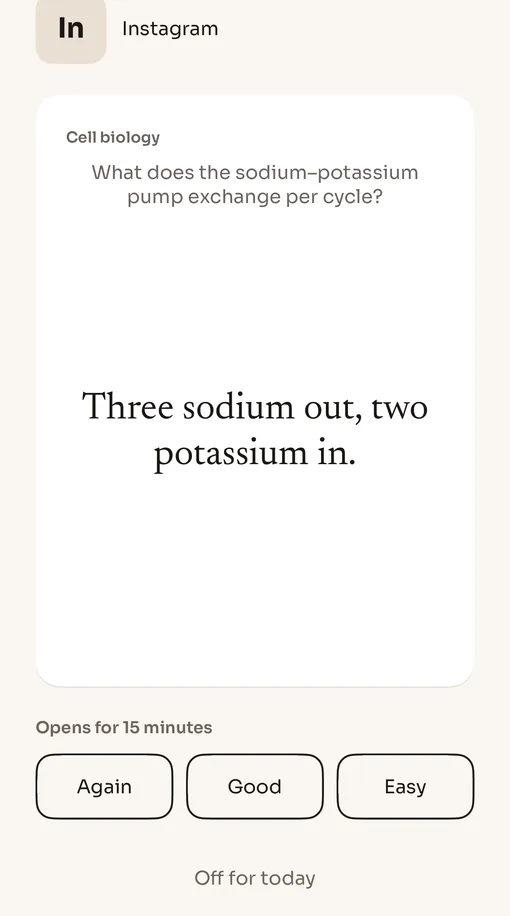
You pick the apps that can wait. Pip — the squirrel who caches only what he will need — stands at the door. To open one of them you answer a single card from your own review queue, rated the way it actually went. It counts toward the same streak as any other review, and the app opens for fifteen minutes.
Nothing due? Pip waves you through. A finished day is rewarded, never faked. You chose the list, so you can change it, and one tap turns the door off until midnight.
The door is part of Pro. It invents no second scheduler and no second deck: the door is the review queue.
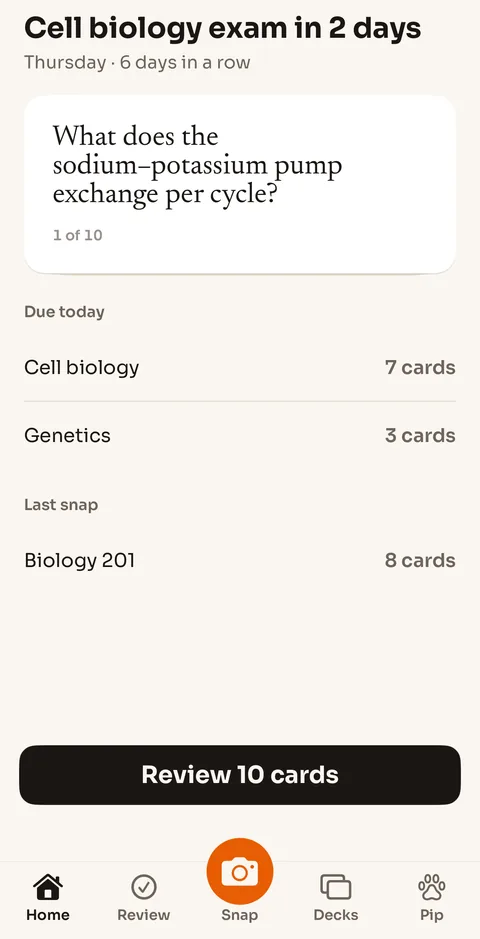
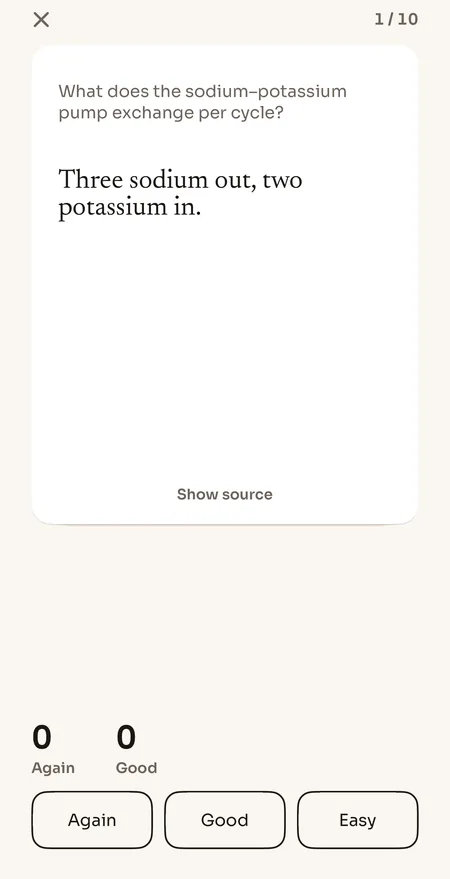
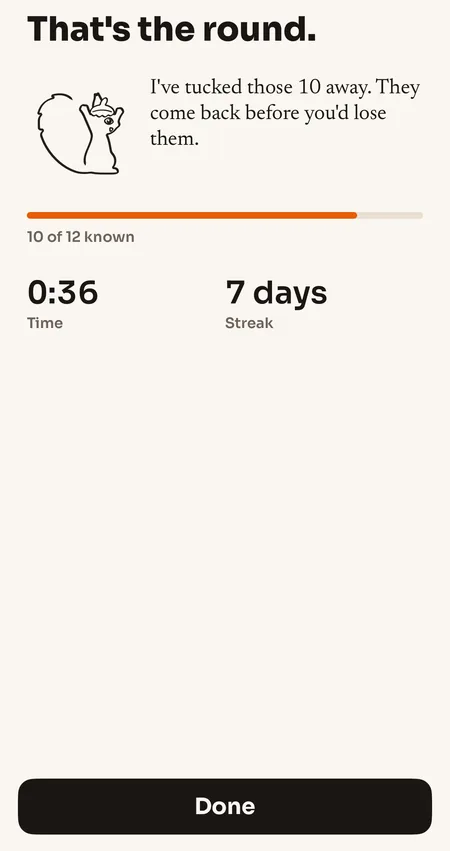
Ten cards, about a minute, and an end to it.
Answer out loud or in your head, then say how it went. The schedule moves from that, and the source line stays with the card so a suspicious answer takes two seconds to check rather than costing you faith in the whole deck.
A round finishes. There is a screen that says so, and then the app is done with you for the day — which is the part a study tool normally refuses to do.
All of it works offline. The review loop makes no network call at all.
Free every day, and $39.99 a year if you want more.
Free is 5 generations and one quiz round a day, every day, with unlimited review, four starter decks, Anki export and no ads. Pro is $6.99 a month or $39.99 a year, and adds 50 generations a day, unlimited quiz rounds, the door, photographs of diagrams, whole PDFs and iCloud backup.
There is no free trial: the free tier does not expire, so nothing starts charging on its own. Bought and cancelled in the App Store. Both products’ prices.
Against Quizlet Plus, honestly
Quizlet is where your classmates are, and its library of ready-made sets is something Klarrity has no answer to and is not building one for. What it asks in return is an account before anything happens, $7.99 a month or $35.99 a year for Quizlet Plus — against $39.99 here — offline study only on a subscription, and an App Store listing that carries the “Contains Advertising” label. Klarrity has no library, no ads in any tier, and review offline on the free one.
Quizlet prices read from quizlet.com/upgrade on 3 September 2026. The full comparison, including what Quizlet is better at.
The promises that are easier to make than to keep.
- No account, no sign-in
- There is no email field and no password. Cards, decks and review history stay on the phone; nothing about what you study reaches a server to be stored.
- Anki .apkg export, on the free tier
- Every deck exports as an Anki file you can open on any platform. Getting your cards out is not something you pay for, and never becomes something you pay for.
- Review works offline
- The review loop makes no network call. A train, a basement or a dead connection changes nothing about the cards that are due.
- No ads, in any tier
- Not on free, not between cards, not as a video you have to sit through before the next one.
Eight questions.
- What does the free tier give me?
- Five card generations a day and one quiz-first round a day, every day, with no account and no payment card. Review is unlimited and works offline, the four starter decks are included, and there are no ads in any tier. The free tier does not expire and never asks for a card.
- What does Pro cost?
- $6.99 a month or $39.99 a year, bought through the App Store. There is no free trial: the price is the price, stated on the paywall, and nothing starts charging on its own. The free tier is what you try first, and it does not expire.
- Do I need an account?
- No. There is no sign-in, no email, and no password. Cards, decks and review history stay on the phone. That also means there is nothing to log into on a second device — an iCloud backup on Pro is how a deck moves.
- How does it make cards from a textbook page?
- Photograph the page. The app reads the text off the photograph, shows you what it read so you can correct it, and writes cards from that. A PDF works the same way. Every card keeps the sentence it came from, and a tap shows it.
- What is Pip at the door?
- The study lock, on Pro. You pick the apps that can wait — the ones that eat your evenings. When you open one, Pip asks for a single card from your own review queue. Answer it honestly and the app opens for fifteen minutes. If nothing is due, Pip waves you through.
- Can I get my cards into Anki?
- Yes, on the free tier. Klarrity exports an Anki .apkg file you can open in Anki on any platform. Cards are yours to take with you; getting them out is never something you pay for.
- Is it the same thing as the Chrome extension?
- No. They are two products that happen to share a name and an idea. There is no shared account, no sync between them, and buying one does not buy the other. The extension works on a desktop browser; the app works on the phone, from the camera.
- What is the readiness number?
- If you give the app an exam date, it prints one figure for how ready you are for it — based on what you have actually got right, not on how many cards you own. It is there because a progress bar that only goes up tells you nothing.
Something not answered here? Support has the rest, including how to restore a purchase and how to move a deck into Anki.